 UnderBlue
 › Underwater photo and video guides
Underwater photo tips: clearer, more colorful shots
Water changes light. Red fades first, then orange and yellow. Distant things look soft and hazy.
These tips help you keep more color and detail. They work with a phone or a camera.
Get close, then get closer
Water between the lens and the subject takes away color and sharpness. The less water, the better the photo.
Swim closer instead of zooming in. A subject at arm's length keeps much more color than one a few meters away.
Do not use digital zoom
Digital zoom only crops the image. All the water in front of the subject stays. On a phone, the main 1× camera usually gives the cleanest image.
Shoot in good light
- Shallow water on a sunny day gives the most color.
- Keep the sun behind you or to the side.
- Around midday, more light reaches deeper water.
Shoot slightly upward
Point the camera a little up toward the surface. You get a blue background and more contrast. Shooting down at the sand often gives a flat, gray photo.
Avoid backscatter
Small particles in the water reflect light back to the camera. They show up as white spots or haze. This is called backscatter.
- Turn off the built-in flash.
- If you use a light, hold it out to the side, away from the lens.
- Do not kick up sand near your subject.
Stay still
- Good buoyancy keeps you steady and protects the reef.
- Breathe out slowly before you take the shot.
- Take several shots of each subject.
- Never touch or chase marine life.
Keep the lens clean
Check the lens or the housing window for water drops, bubbles and fingerprints. Wipe it before you get in, and check it again under water.
Blue and green photos are normal
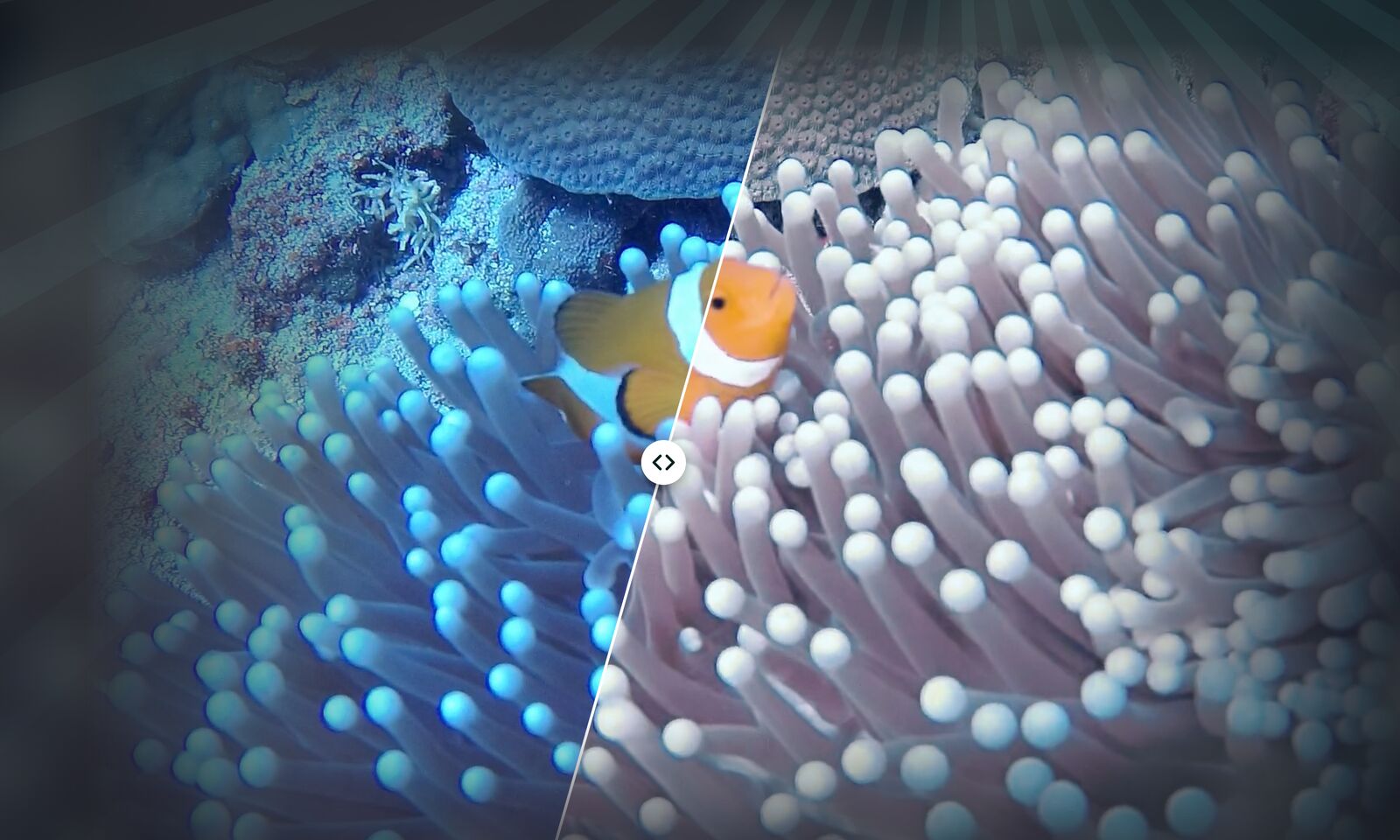
Even with good technique, most underwater photos still look blue or green. This is normal. You can fix the color after the dive.
Fix the color with UnderBlue
A blue photo is not lost. With UnderBlue, a few taps bring back the color of reefs and fish.
UnderBlue brings natural color back to underwater photos and videos on your iPhone. Pick a look, compare it with the original, and save. Processing stays on your iPhone, with no account and no upload. You can try it for free.